
How I AI
Or, why the tools don't matter and the taste does

Every PM newsletter has a “How I AI” post right now. They’re almost always a tool list: “I use ChatGPT for drafting, Notion AI for notes, Copilot for code review.” The lucky ones have a shelf life of six months before the tools change, the pricing shifts, or something better appears.
This isn’t one of those posts. Not because the tools don’t matter – they do, a bit – but because they’re the least interesting part. A Photoshop licence doesn’t make you a graphic designer. A Figma subscription doesn’t give you taste. And a Claude API key doesn’t make you good at using AI.
What makes you good at using AI is the same thing that makes you good at anything: understanding your domain deeply enough to know what “good” looks like, then using tools to get there faster.
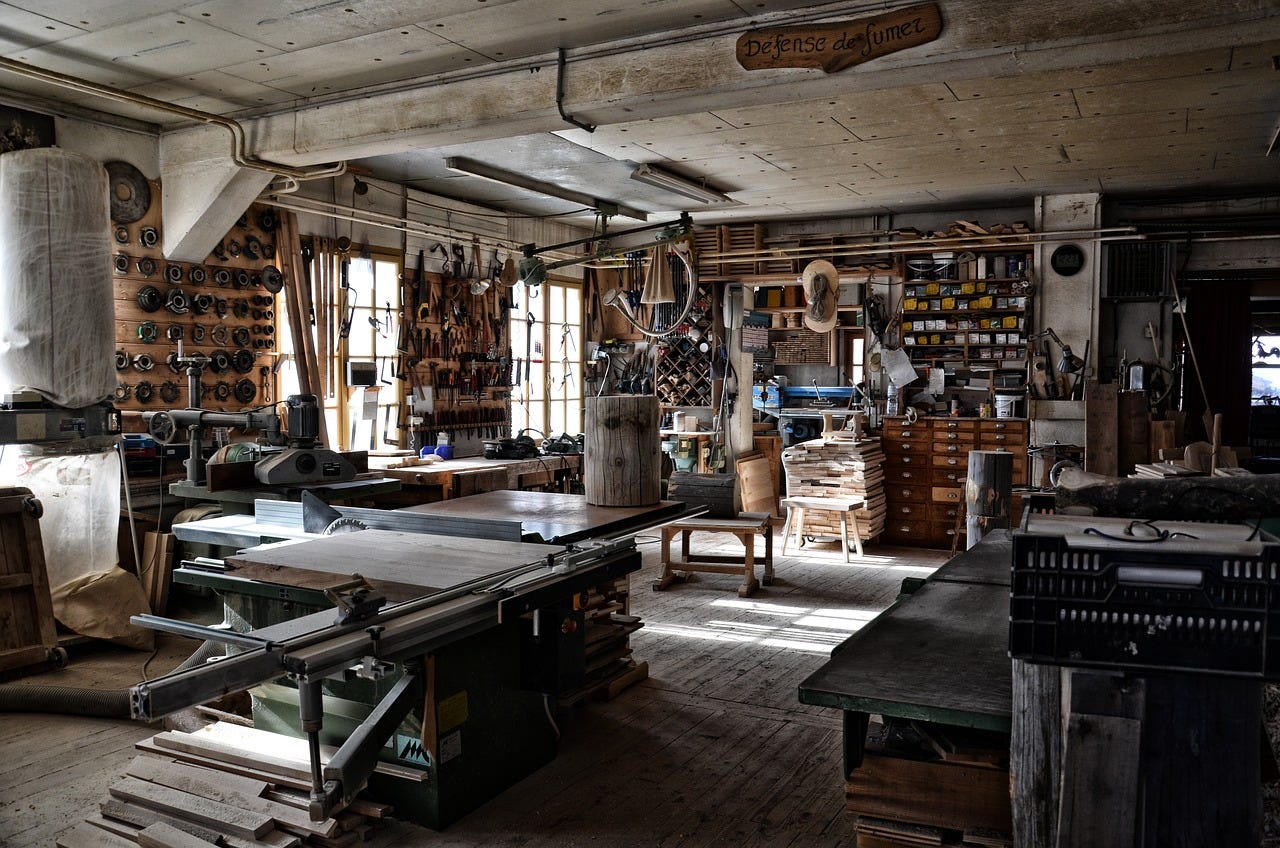
The workshop
Walk into any craftsperson’s workshop and you’ll notice something immediately: it’s intensely personal. Tools arranged for their workflow, not alphabetically. Jigs and fixtures they’ve built themselves to solve specific problems. Materials organised by how they work, not how they’re sold. No two workshops look the same, because no two craftspeople think the same way.
That’s what a mature AI setup looks like. My daily workflow involves an AI coding assistant and a knowledge management tool running side by side (I’ll tell you the names later), with different project spaces for different work. I’ve built custom commands that automate my specific workflow: how I like to process meeting notes, track commitments, draft and revise written content. I use integrations to pull information in from various sources, and to push updates out carefully, with human review at every publishing step. Some of these tools I chose; some are whatever the team I’m working with uses. All of them are configured and customised for how I think, not how they shipped out of the box.
The point isn’t “use these tools.” The point is that this workshop was built over time, one jig at a time, each addition solving a specific friction point in how I work. It looks nothing like anyone else’s setup, because it shouldn’t. Most “How to AI” posts describe a factory floor with standardised workflows that could belong to anyone. That’s fine for getting started, but it’s not where the value lives. Conversely, most “How I AI” posts are interesting but not directly applicable to you. You’re watching someone else’s mise en place, and the useful exercise is figuring out what you might take away from it, not shoe-horning yourself into their workflow.
This is mine. Take what’s useful. Leave the rest.
Art, not science
AI is constantly evolving. Models from different vendors have subtle variabilities in what they handle well and what they fumble. Different flavours of the same model behave differently depending on context, prompting, and what you’re asking for. There are no stable recipes. There is no One True Way™️.
The only universal guidance I can offer: explore constantly. Use AI tools in domains you understand well, so you can evaluate the output. Push them to the edges of their capabilities. Develop an instinct for what researchers call the “jagged frontier” – the irregular boundary of what AI can do reliably, which zigs and zags unpredictably across tasks. You’ll find it’s brilliant at some things you expected it to struggle with, and terrible at things that seem simple. The only way to learn that boundary is to walk along it, repeatedly, with a critical eye.
This is more art than science. Like a sculptor who knows marble or a painter who knows how oils behave in humidity, the skill isn’t the chisel or the brush. It’s the thousands of hours of understanding the material that let you work with it rather than against it. You develop a feel for when the tool is helping and when it’s leading you astray. That feel can’t be taught in a course or captured in a prompt template. It comes from doing.
My personal quality test is simple: do I want my name against this? It’s personal taste built over years of doing the work without AI first, so I know what “good” looks like in my domain before I ask a machine to approximate it. Access to tools is near-universal now. You can (should) try them regularly, but that’s not the big deal. What’s important is whether you’d know a bad output if you saw one.
The maturity ladder
Here’s the progression that I think matters, both for individuals and for organisations:
First, learn the domain. There is no shortcut for this. Years of doing customer interviews, writing strategies, shipping products, making mistakes, and building the pattern library that lets you recognise when something is off. This is the apprenticeship.
Then, use AI where you already have expertise. Start with your own workflow, with tasks where you can immediately evaluate quality. When I first started playing with LLMs a few years ago, I used them for things I understood deeply: drafting communications I’d been writing for years, analysing data I’d collected myself, summarising research in areas where I could spot a hallucination at a glance. The AI was faster. I was the quality gate.
Then, extend to team and cross-functional processes. Once you’ve built intuition for what AI handles well and where it stumbles, you can start applying it to broader workflows such as internal tools, process automation, team efficiency. But now you’re responsible for other people’s reliance on the output, so the bar goes up.
Only then, put it in front of end users. This is where data quality, constraints, and careful design all come together. And it’s where the stakes are highest when you get it wrong.
My own career traced a version of this ladder, stretched over a decade. Eight to ten years ago, I was reading the foundational papers and talking to data scientists, trying to understand what machine learning could and couldn’t do. Three to five years ago, I was working deeply on metadata enrichment and content processing pipelines, the very plumbing that AI systems depend on. The last couple of years, I’ve been hands-on with LLMs and other models as they became viable, constantly probing what they can do reliably. Only in the past year have I been building the workshop, the custom tools and environments that fit my specific workflow, because that’s when the AI tools could support it to degree I was satisfied with.
You can’t skip rungs. And organisations can’t skip them either: audit your data, understand your domain, pilot internally, and only then face customers. The companies that rush straight to customer-facing AI without climbing the ladder are the ones writing apologetic blog posts six months later.
A note for early-career PMs
This note comes from empathy, born from watching what happens when the ladder gets skipped. I was young, rash, and brash too, once. Don’t read it as gatekeeping.
The concern isn’t that junior PMs use AI. Of course they should. The concern is that they might automate and abstract something they don’t yet understand. If you haven’t done enough customer interviews to recognise when an AI-generated summary misses the subtext, you’ll trust the summary and miss the insight: the frustration behind a polite feature request, the political tension in a stakeholder meeting, the thing the customer said between the lines.
Everyone’s seen the obvious failures. AI mis-transcribes a meeting. A search tool recommends, confidently and in detail, an API that doesn’t exist. An analysis of your data gets the basic relationships wrong – and you know it’s wrong because you collected the data. Those are easy to catch. The dangerous failures are the subtle ones you don’t catch, because you don’t yet know enough to notice. Without domain expertise, delegating to AI is just two interns looking at each other, hoping one of them is right. You can’t tell which output is good and which is wrong, because you haven’t done the reps.
The industry narrative that AI will “democratise” expertise assumes that expertise is just information. Sorry sunshine, it ain’t. It’s judgement. And judgement comes from doing the work, from years of getting it wrong, learning why, and building the instinct that tells you when something is off even when it looks fine on the surface. Do the reps. Build the taste. Then the tools become genuinely powerful, because you’re the senior in the room and not another intern.
One way to recognise where you need to invest more manual effort is to notice what you’re procrastinating on. The tasks you know you should do, but just can’t bring yourself to. Why? Is it boring because you’ve done it a thousand times, or because it’s pushing you out of your comfort zone? This is a visceral distinction (literally, you’ll feel it in your gut). When you’re avoiding getting out of your comfort zone, you’re avoiding growth, avoiding the opportunity to build the very product taste you need. I’ve had a good experience early in my career on pushing against the butterflies in my stomach, and learnt a lot about the skills of public speaking. I’ve learnt to recognise the symptoms, and force myself to do it and grow. And it’s at that point that you can make a judgement call about what to automate and delegate to AI, because you know when good looks like.
What’s in my workshop (today)
Since you’re reading a “How I AI” post, here’s the obligatory tool mention. These are what’s in my workshop right now. Ask me again in six months and half of them will have changed.
I use Claude Code for building custom tools and automations, and Obsidian as a knowledge management platform for deep thinking and organising info, keeping separate project spaces for each area of work. I have multiple Obsidian vaults open and a terminal with multiple tabs for Claude sessions, but I aim to work on one thing at a time for a stretch. The point is to have the tools open and ready to capture ideas, but more importantly to help me concentrate and do the deep thinking (distractions are free and abundant; keeping them at bay is a constant chore).
I’ve used others, these are my (current) favs, as they allow me to best bridge the gap between my thinking and the AI augmentation. Obsidian in particular, since I deal with documents rather than code. Markdown is great for both me and AI, Obsidian has a phenomenal plugin system, and when I can’t find something I can get Claude Code to write a plugin for me.
Meeting notes are captured and analysed (via MCP) in a process that makes sense to me, surfacing action items and tracking commitments in ways I actually pay attention to. Other tools for project and task management, prototyping, documentation are all the usual suspects from your preferred “top AI tools” list (like Lenny’s newsletter); some mine, some decided by the team I’m working with. I use integrations to pull information from various services for analysis, and to push updates out; reading freely, publishing carefully with human review at every step.
The specifics matter less than the principles: understand what you need before you choose the tool (please don’t make me bring up the hammer adage). Customise the tool to your workflow, not the other way around. Automate the tedious (note processing, status tracking, first drafts or copy edits). Preserve the valuable (deep thinking, critique, relationship building). And keep the human in the loop for anything that actually matters.
One thing that’s genuinely changed in the past six months: these tools have gotten good enough to teach you how to use them. You can ask the tool itself how to best leverage its capabilities, and it’ll give you a useful answer. Ask it to build a skill or a command, and work with it to customise your own environment to your needs. Don’t copy others’ generic implementation – spend a week to build and debug a skill that automates a task that used to take 5 minutes! 😜
But, and this is the taste paradox again, you still need to know what you’re trying to solve. The tool won’t volunteer that a capability exists unless you understand the limitation well enough to ask about it in the right terms. And you need to push back when its suggestions are wrong. This can range from the obvious (no, you can’t “clear the cache” with rm -rf /), to the subtle (actually understanding what makes sense to include in a PRD for your product, team, and organisation; it’s the same as copying Amazon’s 6-pager template and expecting to become Amazon).
Even self-teaching tools require a student who knows which questions to ask.
Own your shit
I’ve written before about the three core (and rather shitty) PM skills: organise your shit, communicate about your shit, and own your shit. AI maps neatly onto these, but not evenly.
It can genuinely help you organise. That’s what the workshop is for: automating the tedious parts of information management, keeping track of commitments, surfacing patterns in data. This is where AI earns its keep, doing the grunt work so you can focus on the thinking.
It can assist with communication. Drafting, summarising, critiquing, restructuring. But you still need to validate that the message actually carries across between humans: that the nuance is clear, that the tone is right, that you’re speaking in the other person’s language rather than a statistically plausible approximation of it.
But ownership – having real agency, putting your name against the work, deciding what matters and taking responsibility for the outcome – that is irreducibly human. No tool gives you that. And without it, you’re just two interns hoping one of them is right.
The workshop is never finished. There’s always a new tool to try, a new jig to build, an old process to rethink. That’s the art of it. The craftsperson who stops tinkering with their workshop has stopped learning.
But if I’m honest, the best thing AI has done for my PM practice isn’t any specific tool. While automating the boring bits helps, the constant exploration of AI’s boundaries has forced me to articulate what I actually value in my own work: which parts require human judgement, which parts are just friction, and where the line sits between them. That clarity (which is crystalised in writing these posts) is worth more than any tool I’ve added to the workshop.
As a fiction author, I can tell you: the best tools are the ones that disappear into the craft. You stop noticing the chisel and start seeing the sculpture.